10 No-Code AI Chatbot Builders Ranked: Which One Actually Works in 2025?
Just two years ago, if you wanted to build a custom AI chatbot trained on your own documents, you needed a team of machine learning engineers, a deep understanding of Python, and a massive budget for GPU time. Today, the "No-Code Revolution" has reached the world of Generative AI. We are living in an era where a solopreneur, a small business owner, or a marketing manager can launch a fully functional, RAG-powered AI assistant in under ten minutes without writing a single line of code. But with hundreds of apps claiming to be the "best," the market has become a minefield of over-hyped tools and buggy prototypes. In this guide, we’ve tested and ranked the top no-code AI chatbot builders based on their ease of use, data accuracy, and value for money.
Table of Contents
- What Defines a 'True' No-Code AI Builder?
- The Ranking Criteria
- The Top 10 Ranked for 2025
- Tagnovate: Best for Creators & Direct Sales
- Chatbase: Best for Documentation Support
- Voiceflow: Best for Complex Logic
- The ROI of No-Code AI
- FAQ Section
What Defines a 'True' No-Code AI Builder?
A "No-Code" tool means more than just having a nice dashboard. To be a top contender in 2025, a platform must offer:
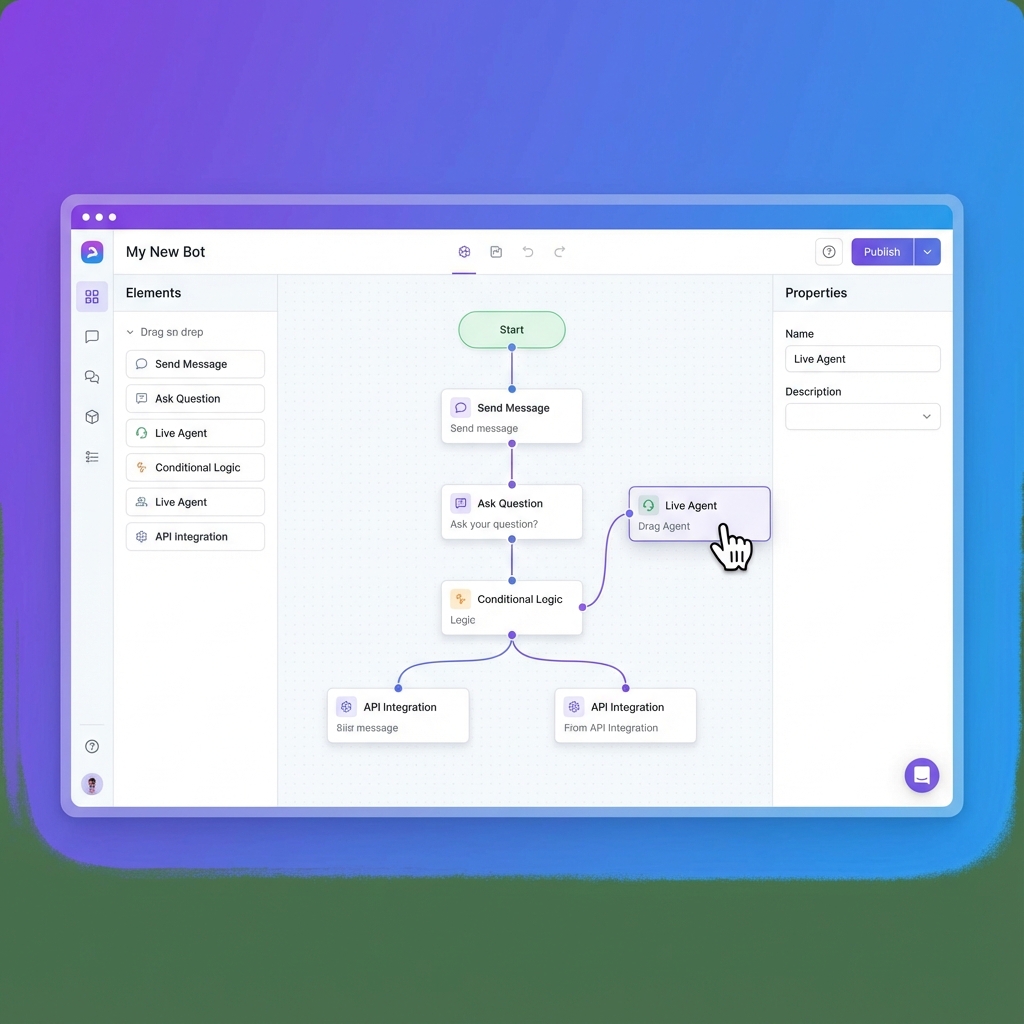
- Visual Interface: Drag-and-drop or simple form-based setup.
- Easy Data Training: The ability to upload a PDF or paste a URL and have the AI "learn" it instantly.
- Seamless Embedding: A simple copy-paste script to add the bot to your website or bio page.
- Native Integrations: Direct connections to Calendly, Stripe, and Zapier without needing an API key. According to a report by Forrester, by 2026, 75% of enterprise software will be built using no-code or low-code tools. For the small business owner, these tools are the ultimate leveler of the playing field.
The Ranking Criteria
We focused on the metrics that matter to non-technical users:
- Time to Launch: How fast from "Sign Up" to "Live Bot"?
- Knowledge Accuracy: How well does it handle complex PDF data?
- UI/UX Customization: How much can you make it look like your brand?
- Pricing Transparency: Are there hidden "token fees" or "per-chat" costs? [INTERNAL_LINK: train-ai-chatbot-on-my-pdf]
The Top 10 Ranked for 2025
| Rank | Platform | Best For... | Ease of Use |
|---|---|---|---|
| 1 | Tagnovate | Creators & Bio Links | ⭐⭐⭐⭐⭐ |
| 2 | Chatbase | Help Desks & Site Bots | ⭐⭐⭐⭐ |
| 3 | Voiceflow | Product Teams & Logic | ⭐⭐⭐ |
| 4 | Botsonic | Content Creators | ⭐⭐⭐⭐ |
| 5 | Landbot | Marketing Funnels | ⭐⭐⭐⭐⭐ |
| 6 | Dante AI | Data Privacy | ⭐⭐⭐ |
| 7 | Fini | Instant Customer Success | ⭐⭐⭐⭐ |
| 8 | FastBots | Local Businesses | ⭐⭐⭐⭐⭐ |
| 9 | ChatSimple | B2B Lead Gen | ⭐⭐⭐⭐ |
| 10 | Stack AI | Workflow Automation | ⭐⭐ |
Tagnovate: Best for Creators & Direct Sales
Tagnovate takes the #1 spot for no-code AI chatbot builders targeted at creators, consultants, and small business owners. Why it wins: Most AI builders give you a chatbot that you then have to figure out how to "host." Tagnovate gives you a beautiful, mobile-optimized landing page and a RAG-powered assistant in one package. It is designed specifically for the social media ecosystem (Instagram, TikTok, LinkedIn).
- Knowledge Upload: Drag and drop your PDFs and it "just works."
- Conversion Focused: Built-in lead capture and appointment booking.
- Pricing: Lowest barrier to entry for professional features. AI Chatbot for Link-in-Bio
Chatbase: Best for Documentation Support
Chatbase is the "Godfather" of the wrapper-style AI builders. It’s excellent if you have a massive documentation site and you want a bot that can answer developer questions.
- Pros: Very reliable, great API if you eventually want to add code.
- Cons: Can get expensive quickly as you scale.
Voiceflow: Best for Complex Logic
If you want your bot to do more than just talk—if you want it to check a database, calculate a quote, or follow a complex "If/Else" branching path—Voiceflow is the industry leader.
- Pros: The most powerful visual builder on the market.
- Cons: A steep learning curve. It’s "No-Code," but you still need to think like a developer.
The ROI of No-Code AI
Why should a non-developer care about these tools? Performance Data:
- 70% Less Development Time: Launching a bot on Tagnovate takes 10 minutes vs. 2 weeks for custom code.
- 80% Cost Savings: A no-code subscription ($20-$50/mo) is significantly cheaper than a developer's hourly rate ($100+/hr).
- Reduced Support Burden: Automated AI assistants handle the 80% of repetitive questions, allowing you to focus on the 20% of high-value tasks. [INTERNAL_LINK: automate-customer-support-small-business]
Conclusion
The no-code AI chatbot builder market is maturing. We are moving away from gimmicky "wrapper" apps and toward robust business platforms. For the average creator or small business owner, a platform that combines the power of RAG with the simplicity of a link-in-bio hub (like Tagnovate) is the smartest investment you can make in 2025. Stop waiting for a developer. Start building your digital twin today.
FAQ Section
Do I need a ChatGPT Plus account to use these tools?
No. These platforms provide the AI model (usually GPT-4o or Clause) as part of their subscription. You don't need a separate OpenAI account.
How do I add the chatbot to my website?
Most tools provide a "Widget Code"—a small piece of JavaScript that you copy and paste into the <head> or <footer> of your site (WordPress, Wix, Shopify, etc.).
Can I change the bot's behavior?
Yes! All these tools allow you to edit the "System Prompt" (the instructions the bot follows) and the personality/tone.
Is it safe to upload my private PDFs?
Yes. Professional builders like Tagnovate use private data silos. Your information is used only for your bot and is not used to train the general OpenAI or Claude models.
Can the bot speak multiple languages?
Yes. Most modern AI models are natively multilingual. If you upload a PDF in English, the bot can still answer a user in Spanish or French. {/* IMAGE SUGGESTIONS */}
- Hero: A high-quality photo of a sleek desk with a tablet showing a visual "workflow" diagram of a chatbot.
- Infographic: "The 10-Minute Launch" – a timeline showing the steps from sign-up to live bot.
- Chart: A comparison of "Dev Cost" vs "No-Code Subscription" over 12 months.
- Screenshot: The Tagnovate dashboard showing a "Training Progress" bar. {/* SCHEMA SUGGESTION: Article, Product, FAQ /} {/ INTERNAL LINKS TO ADD */}
- [INTERNAL_LINK: rag-chatbot-for-business]
- [INTERNAL_LINK: how-to-automate-freelance-business]
Tags
Ready to transform your link-in-bio?
Join thousands of creators using Tagnovate's AI-powered platform to engage visitors and boost conversions.
Start Free Trial