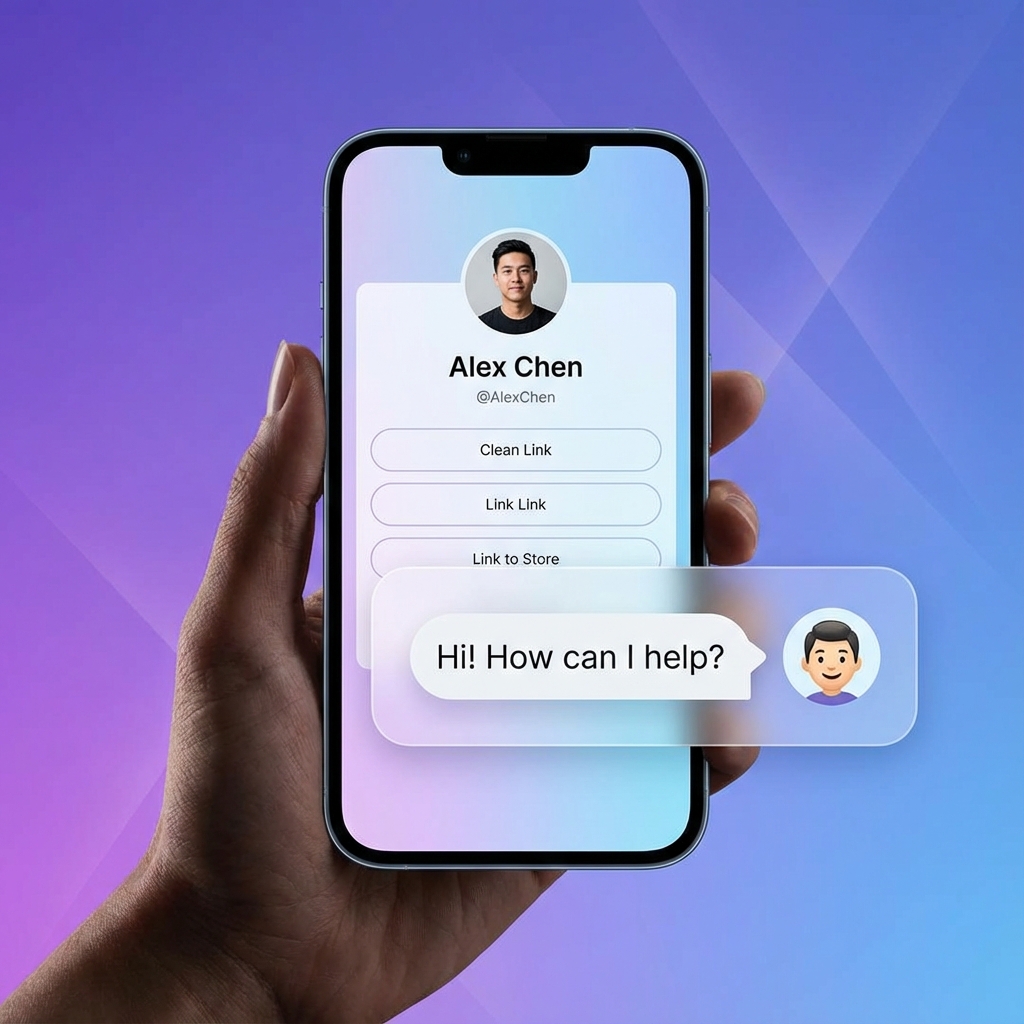
How to Add an AI Chatbot to Your Link-in-Bio: The Complete 2025 Guide
Is your Instagram or TikTok profile a dead end? For years, creators and businesses have relied on "link-in-bio" tools to bridge the gap between social content and conversions. But in 2025, a simple list of buttons is no longer enough. Your audience doesn't want to hunt for links; they want answers. Adding an AI chatbot to your link-in-bio is the single most effective way to transform your social media traffic into qualified leads and sales. While traditional tools like Linktree send users on a scavenger hunt, a conversational bio page acts as a 24/7 virtual assistant that greets, qualifies, and converts every visitor. In this comprehensive guide, we'll walk you through why static bio links are failing, how the technology behind AI chatbots has evolved, and the exact steps to implement a RAG-powered assistant on your own profile.
Table of Contents
- The Death of the Static Link-in-Bio
- What is a Conversational Link-in-Bio?
- The Technology: RAG vs. Traditional Chatbots
- Step-by-Step: Adding an AI Chatbot to Your Bio
- Real-World Use Cases for Coaches and Creators
- The ROI: Measuring Your Success
- Comparison: AI-Powered vs. Static Bio Pages
- FAQ Section
The Death of the Static Link-in-Bio
For a long time, having a "link-in-bio" was a binary choice: either you had one, or you didn't. Tools like Linktree and Beacons revolutionized social media by allowing users to circumvent the "one link" restriction on platforms like Instagram and TikTok. However, as the creator economy has matured, so have consumer expectations. According to a recent study by Salesforce, 74% of customers expect an immediate response when they have a question about a product or service. A list of 15 buttons—ranging from a "Latest Blog Post" to "Buy My Course"—delays that response. Static link lists suffer from "Choice Overload." When presented with too many options, users often experience friction and leave without clicking anything. This is known as the Hick’s Law in UX design: the time it takes to make a decision increases with the number and complexity of choices.
What is a Conversational Link-in-Bio?
A conversational link-in-bio replaces or augments your static list with an AI-driven chat interface. Instead of the user reading your bio, your bio "speaks" to the user. Imagine a visitor lands on your profile. Instead of scrolling through 20 links, they see a chat bubble that says: "Hi! I'm Sarah's AI assistant. Are you looking for her latest coaching program, or do you have a question about her upcoming workshop?" The visitor types: "How much does the 6-week program cost?" The AI, trained on your specific data, replies: "The 6-week Accelerator is $997. It includes weekly 1-on-1 calls and a custom strategy. Would you like to see the curriculum or book a discovery call?" This is conversational commerce in its purest form. You are removing the friction of discovery and replacing it with a personalized guide. [INTERNAL_LINK: conversational-commerce-for-creators]
The Technology: RAG vs. Traditional Chatbots
To understand why 2025 is the year of the smart bio page, you need to understand RAG (Retrieval-Augmented Generation). Old-school chatbots were "decision trees." They relied on rigid "if-then" logic. If a user didn't use the exact keyword you programmed, the bot would break. Modern assistants, like those powered by Tagnovate, use RAG. This technology allows you to:
- Upload your documents (PDFs, FAQs, website URLs).
- Train the model on your specific "knowledge base."
- Response with Accuracy: When a user asks a question, the AI "retrieves" the most relevant information from your documents and "generates" a natural-language response. This means you don't have to be a programmer to build a brilliant bot. You just need to be an expert in your own business.
Step-by-Step: Adding an AI Chatbot to Your Bio
Setting up an AI chatbot for link in bio is surprisingly simple. Here is the process using the Tagnovate platform:
1. Create Your Profile
Sign up for a Tagnovate account and choose your unique URL (e.g., tagnovate.com/yourname). This will be your new hub that lives in your Instagram/TikTok bio.
2. Upload Your Knowledge Base
This is where the magic happens. Navigate to the "Training" tab and upload:
- Your service brochure.
- A list of frequently asked questions.
- Links to your most important blog posts.
- A PDF of your course curriculum.
3. Customize Your AI's Personality
Give your AI a name, a custom avatar, and a greeting that matches your brand voice. You can even set "pre-defined questions" that appear as buttons to help users start the conversation.
4. Set Up Integrations
Connect your chatbot to your favorite tools. Link it to Calendly for easy booking or Stripe for direct payments.
5. Publish and Promote
Replace your old Linktree URL with your new Tagnovate link. Mention it in your stories: "Got questions about my new book? Just tap the link in my bio and ask my AI assistant!"
Real-World Use Cases for Coaches and Creators
Different niches benefit from conversational AI in unique ways. Here are three scenarios:
| User Type | The Pain Point | The AI Solution |
|---|---|---|
| Fitness Coach | Spent 2 hours a day answering "How do I start?" via DM. | AI Chatbot answers FAQs, qualifies leads based on fitness goals, and sends booking links. |
| SaaS Founder | High bounce rate on bio page because users didn't understand the product. | AI assistant explain the value proposition in simple terms based on the whitepaper. |
| Course Creator | Lost sales because buyers didn't know if the course was for their specific level. | AI explains the curriculum and suggests the right tier based on the user's input. |
The ROI: Measuring Your Success
Adding AI isn't just about looking "high-tech"; it's about the bottom line. Businesses using conversational AI for lead generation have seen a 320% increase in conversion rates compared to static landing pages. By reducing the time it takes for a user to get an answer, you are increasing the likelihood of a sale. Every second of "searching" is a second where the user might get a notification and leave your ecosystem. [INTERNAL_LINK: lead-generation-chatbot-for-website]
Comparison: AI-Powered vs. Static Bio Pages
| Feature | Static Link List (e.g., Linktree) | AI-Powered Bio (Tagnovate) | | Engagement | Passive (User must find link) | Active (AI greets user) | | Knowledge | Limited to button text | Unlimited (Trained on your docs) | | Lead Qual. | None (Until they fill a form) | Instant (Through conversation) | | Availability | 24/7 (But static) | 24/7 (Interactive) | | SEO | Low (Mostly button text) | High (Dynamic, relevant content) |
Conclusion
The era of the "link-in-bio" as a mere directory is over. In 2025, your social media presence is a conversation, and your bio link should be the hub where that conversation thrives. By implementing an AI chatbot for your link-in-bio, you are not just providing links; you are providing a dedicated team member who never sleeps, never forgets a detail, and is always ready to close the sale. Ready to transform your profile? Start your free trial with Tagnovate today and build an AI that speaks for you.
FAQ Section
Is it hard to train the AI?
No. You don't need any coding skills. You simply upload your existing documents (like a PDF or a Word file), and our RAG technology handles the rest.
Does this replace my existing links?
You can keep your links! Most users find that having a "Smart AI" at the top of their page actually increases the click-through rate of their static links because the AI helps users find exactly what they need.
Can I use this on Instagram and TikTok?
Yes, the link works anywhere you can paste a URL. It is fully mobile-responsive and optimized for social media app browsers.
How much does it cost?
Tagnovate offers a free tier to get you started, with professional plans available for businesses needing more storage and advanced AI capabilities.
Is my data secure?
Absolutely. Your training documents are private and are only used to power your specific assistant. We use industry-standard encryption to protect your intellectual property. {/* IMAGE SUGGESTIONS */}
- Hero: A high-resolution photo of a creator's phone showing a Tagnovate profile with a chat window overlay.
- Infographic: A flow chart showing a user moving from "Instagram Story" -> "Bio Link" -> "AI Chat" -> "Sale".
- Screenshot: A side-by-side comparison of a cluttered Linktree page vs. a clean, conversational Tagnovate page.
- Infographic: A "Before and After" time-savings chart for a freelancer using AI vs. manual DMs. {/* SCHEMA SUGGESTION: Article, FAQ, HowTo /} {/ INTERNAL LINKS TO ADD */}
- [INTERNAL_LINK: linktree-alternative-with-ai]
- [INTERNAL_LINK: ttrain-ai-chatbot-on-my-pdf]
Tags
Ready to transform your link-in-bio?
Join thousands of creators using Tagnovate's AI-powered platform to engage visitors and boost conversions.
Start Free Trial